AI Chatbot
Designing conversational interfaces for AI-powered chatbots with focus on natural language understanding, context awareness, and personality that reflects brand values.
Timeline
5 months
My Role
Intern UX/UI Designer
Artificial Intelligence
Research Findings
Visuals assist customers in making decisions.
Source: Mid fid test feedback Valerie
Action oriented answers are more effective than explanations
Source: Low fid test feedback Velder Sales Team
A one click feedback mechanism works best for collecting quick feedback
Source: Hi fid test feedback Niels & Dennis
Fast response times and immediate feedback in the chatbot improve the user experience
Source: Hi fid test feedback Niels
The chatbot provides additional service by being available 24/7
Source: Interview Niels
Users prefer direct answers over conversational small talk
Source: Low fid test feedback Velder Sales Team
Design Process
Step 1
Deskresearch
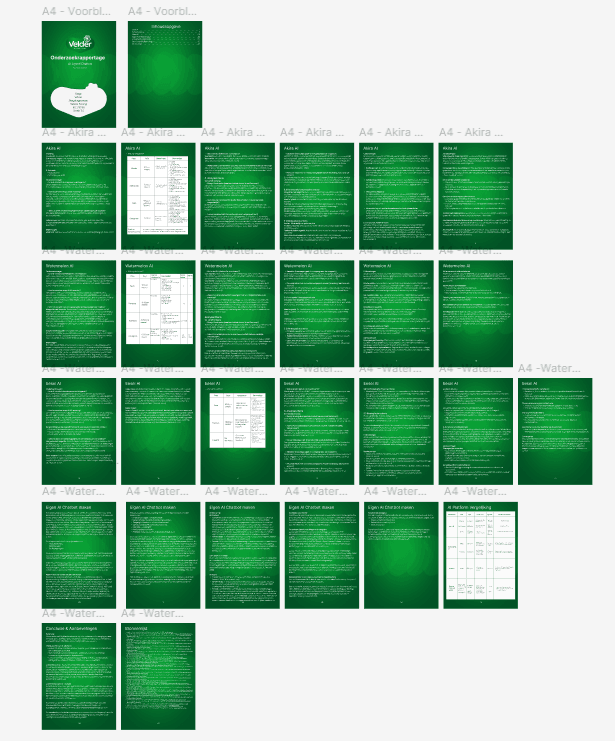
Researched available AI chatbot services, including Akira AI, Watermelon AI, and Eesel AI, as well as the potential of developing a custom AI chatbot from scratch. By analysing what solutions are currently available on the market, we can identify the features that would best suit Velder and its customers.
Step 2
Field Research
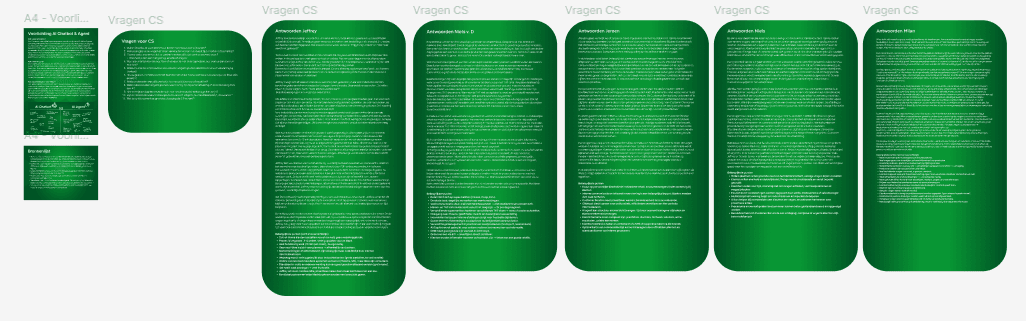
I interview stakeholders who interact with customers in their roles to understand their wants and needs, as well as those of the customers. I also
Step 3
Low Fidelity Prototype
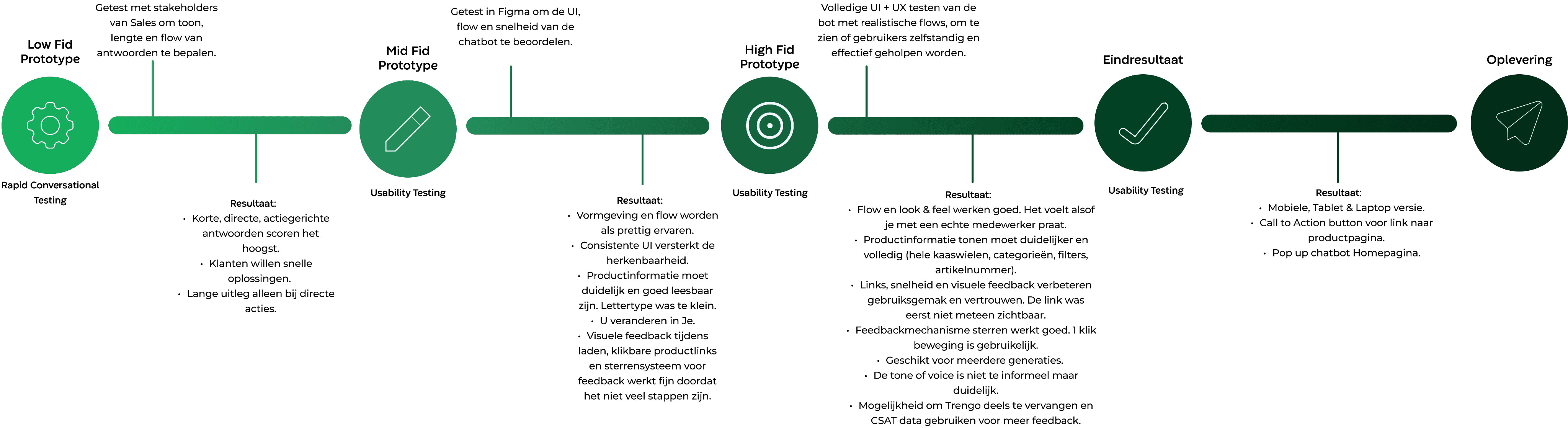
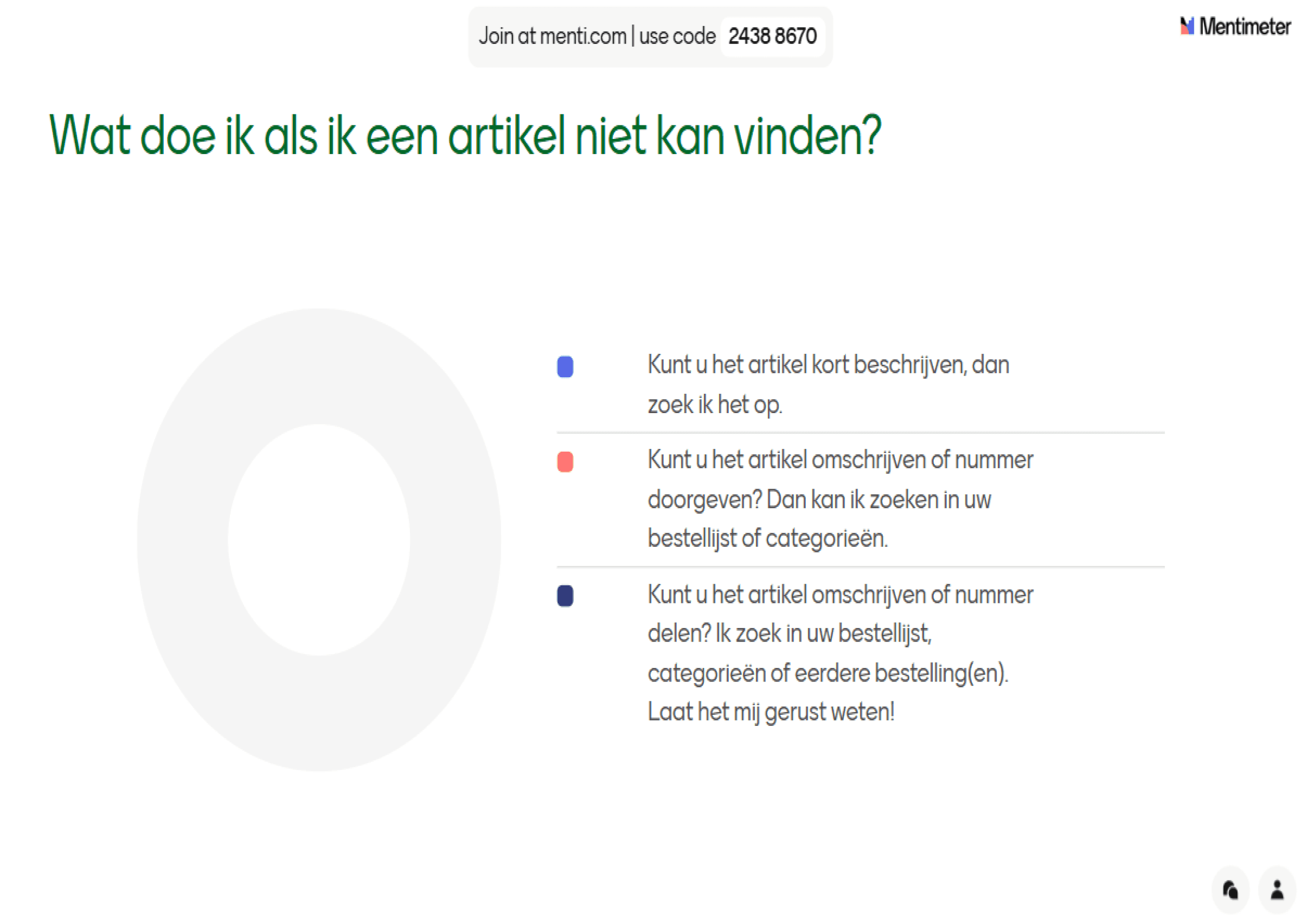
The goal of this project was to quickly identify the tone of voice, content length, and style that best connect with the webshop’s target audience. I used Mentimeter to collect A/B/C responses from my stakeholders from the Sales team.
A: Short & Direct
B: Neutral & Informative
C: Advisory & Broad
Step 4
Test Results Low Fidelity Prototype
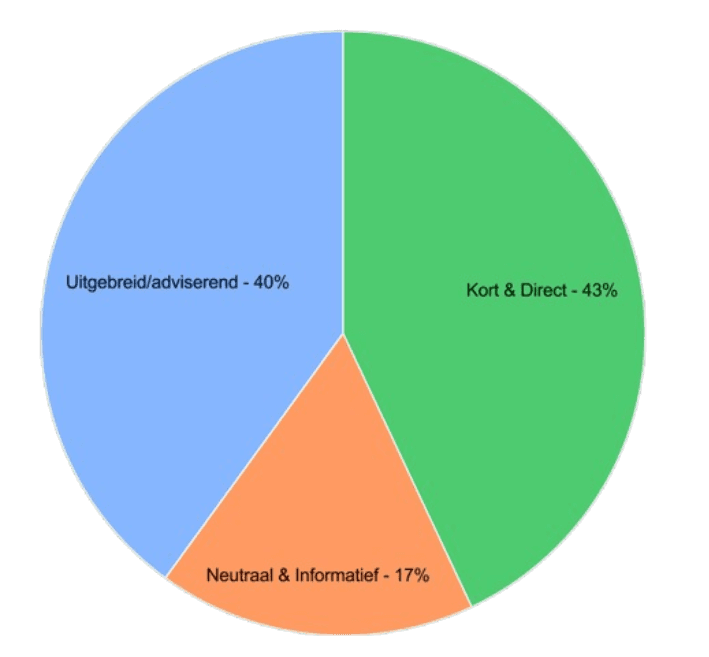
Most stakeholders preferred the short and direct option, so I chose this approach. It provides customers with enough information to continue navigating the webshop without overwhelming them
Step 5
Mid Fidelity Prototype
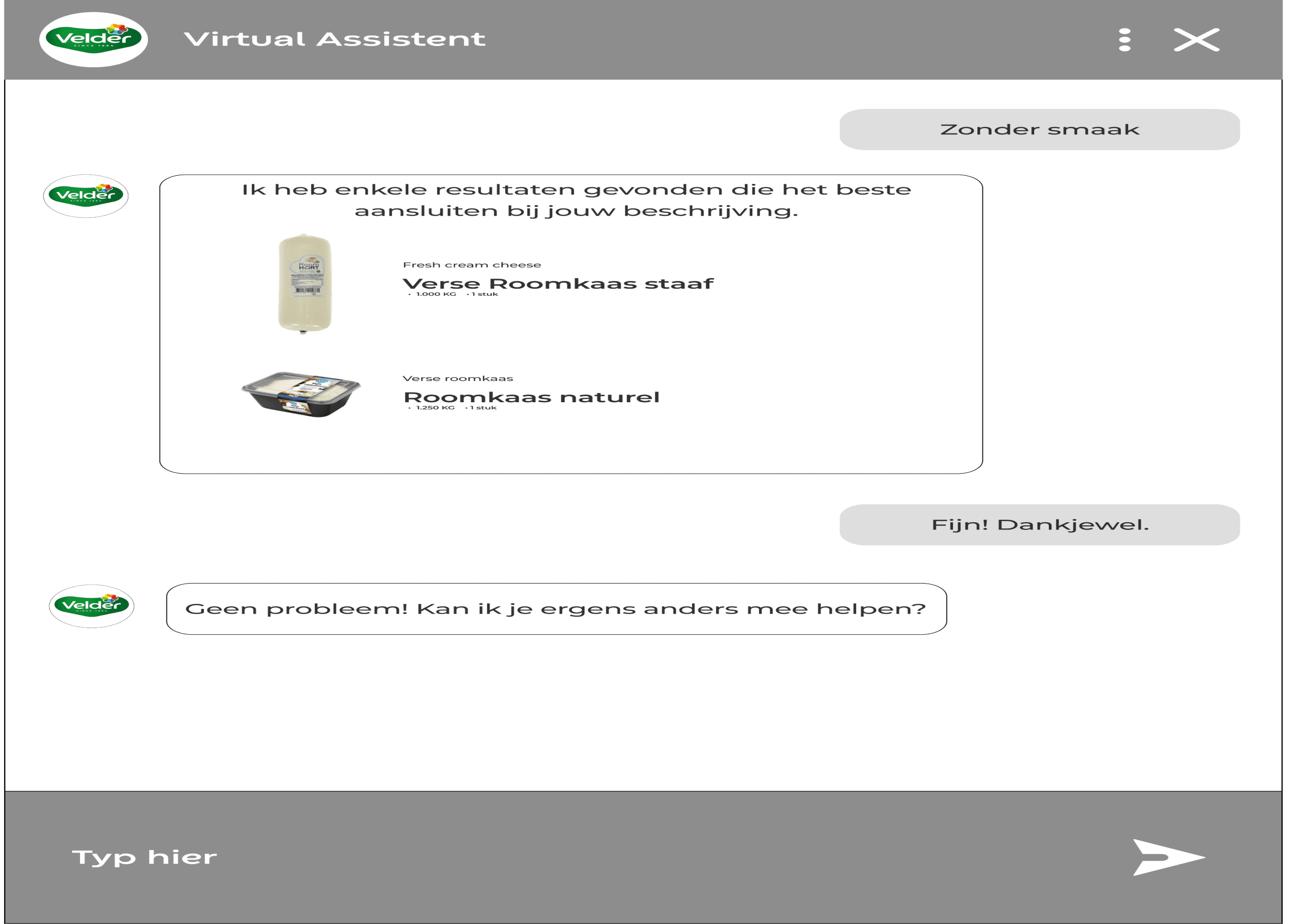
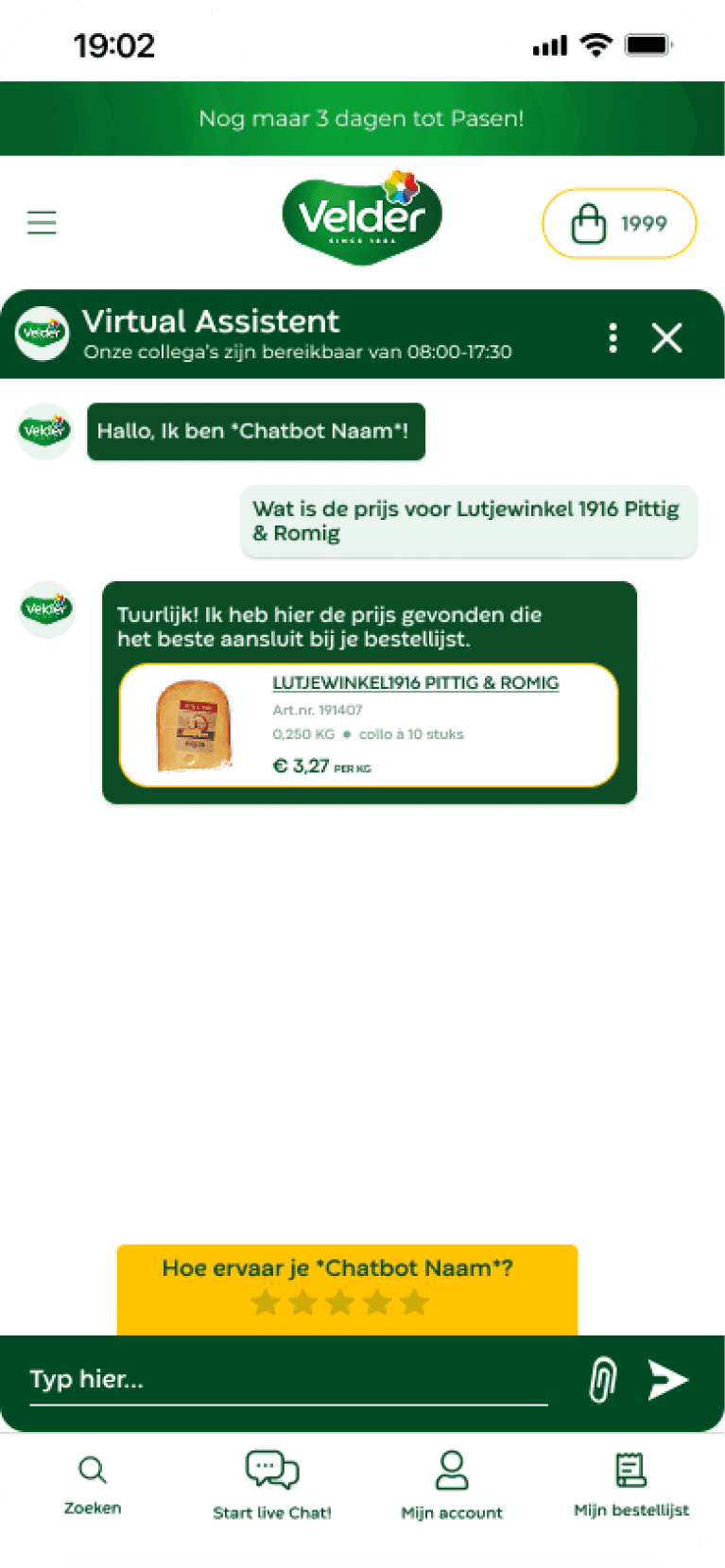
I translated my research insights and low fidelity designs into a mid fid prototype. The goal was to test the chatbot’s flows, layout, and interaction logic with users, focusing on usability. I iterated on the interface and optimized conversational paths to ensure users could complete tasks efficiently.
Step 6
Test Results Mid Fidelity Prototype
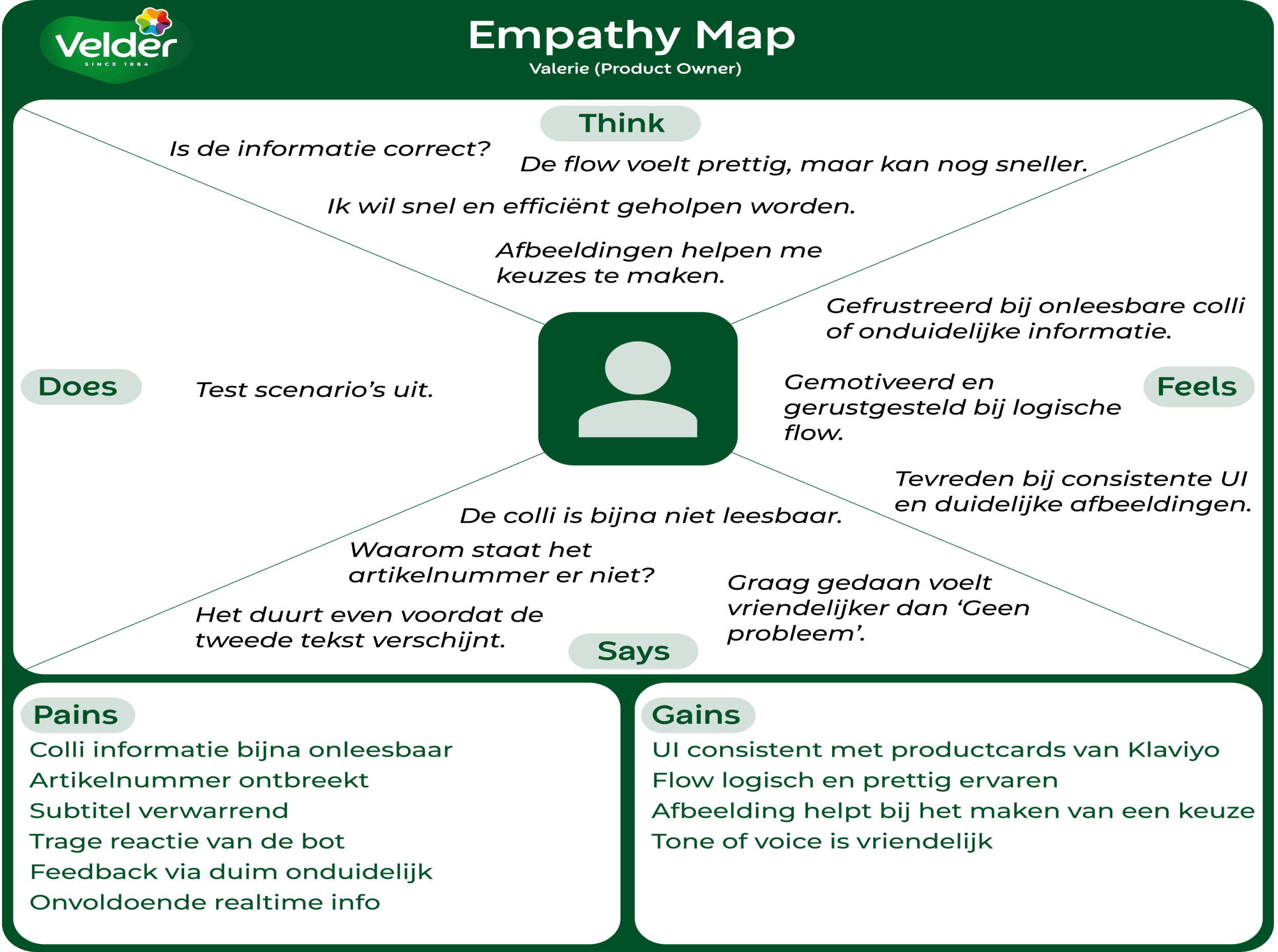
The user found the flow intuitive and the layout clear. Short, action oriented responses worked best, visual cues helped with decision making, and tasks could be completed within four steps.
Step 7
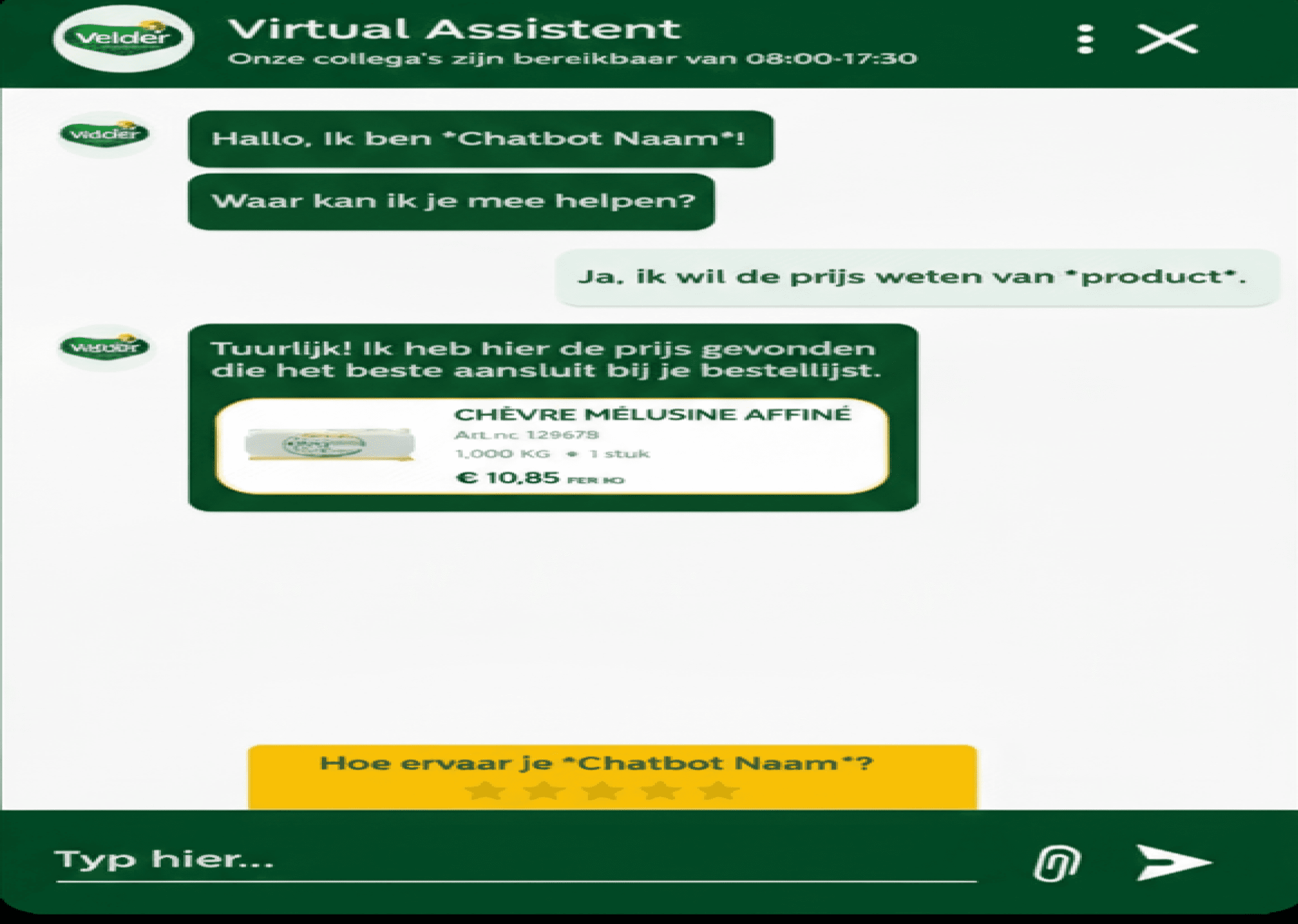
High Fidelity Prototype
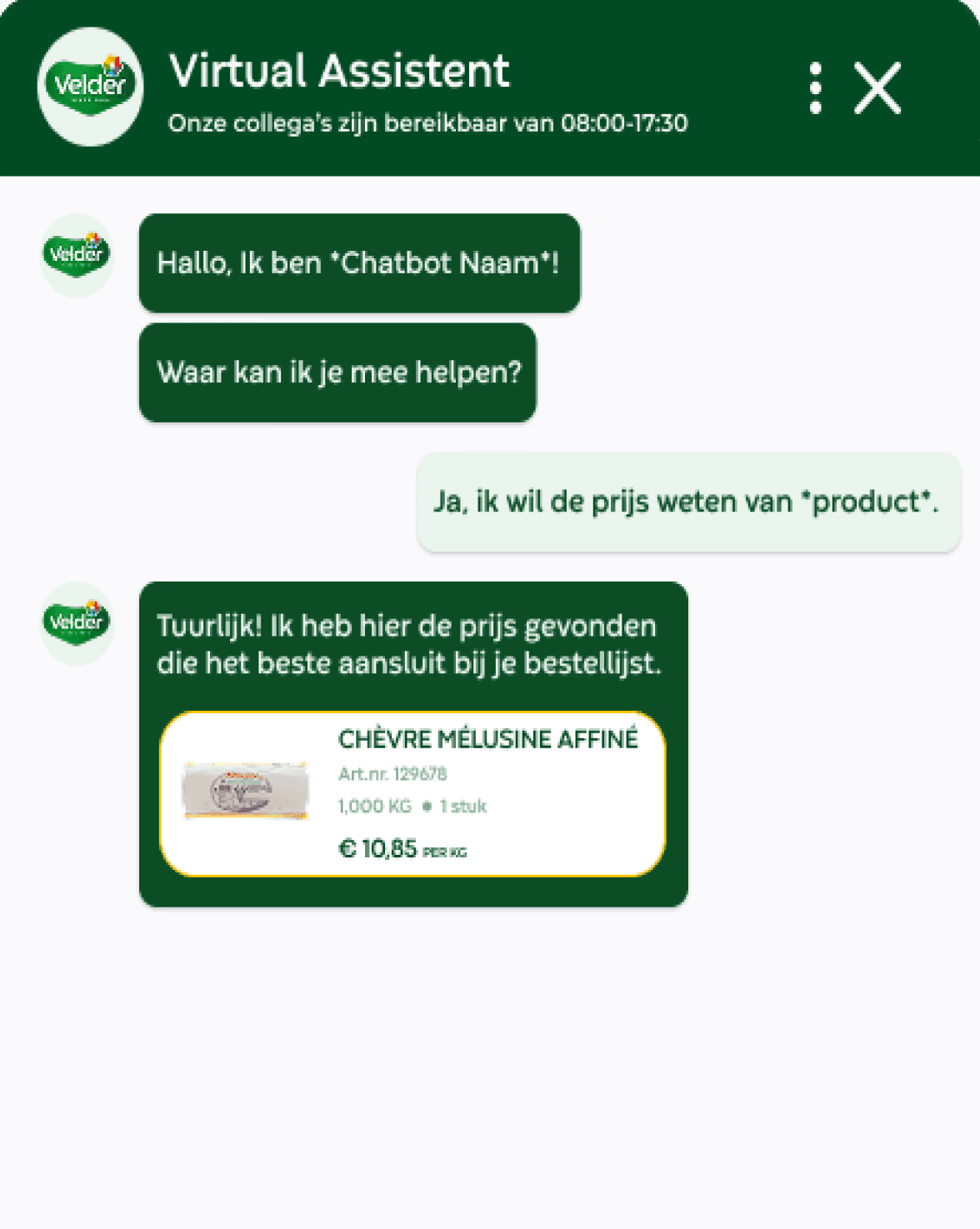
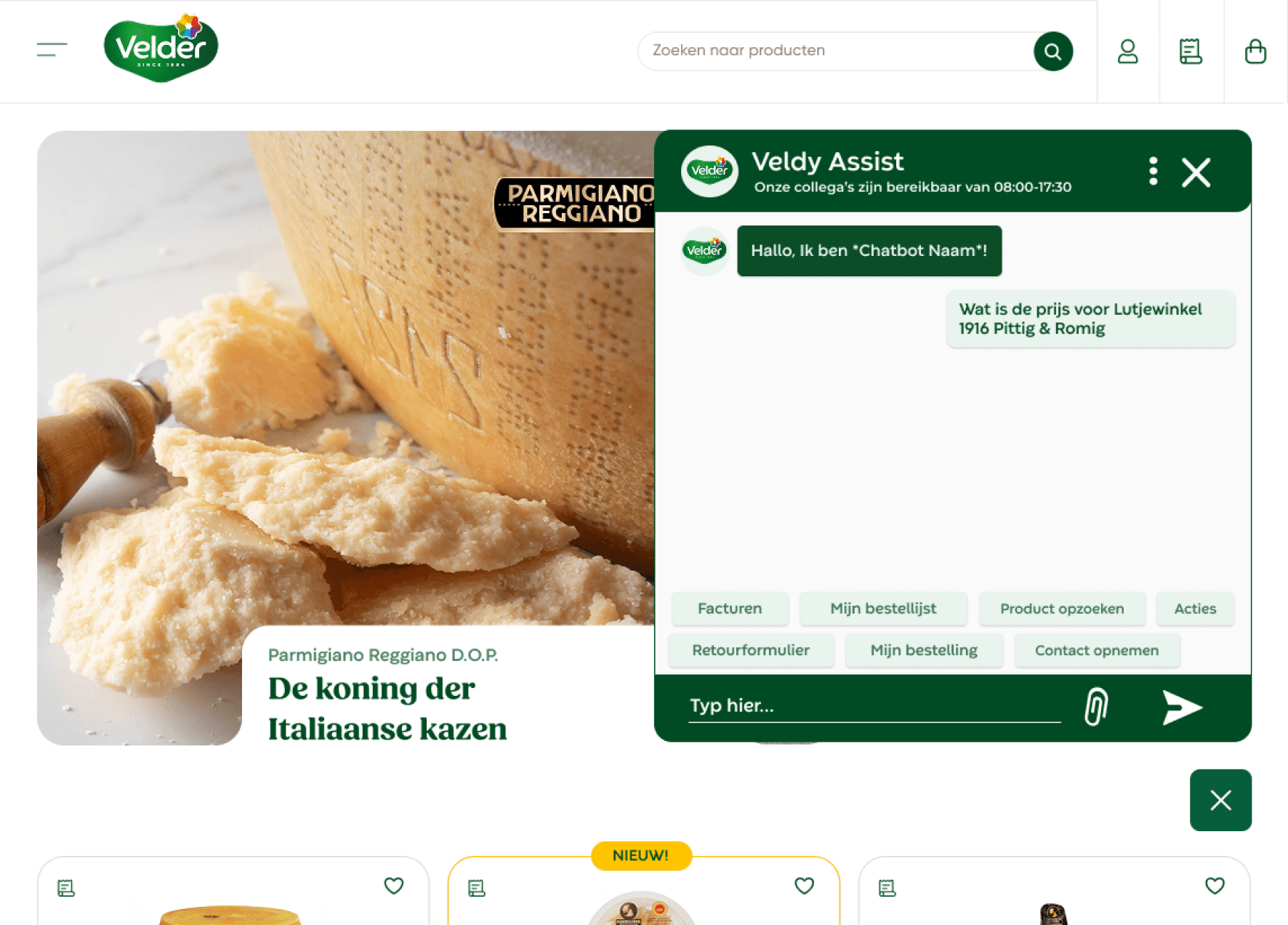
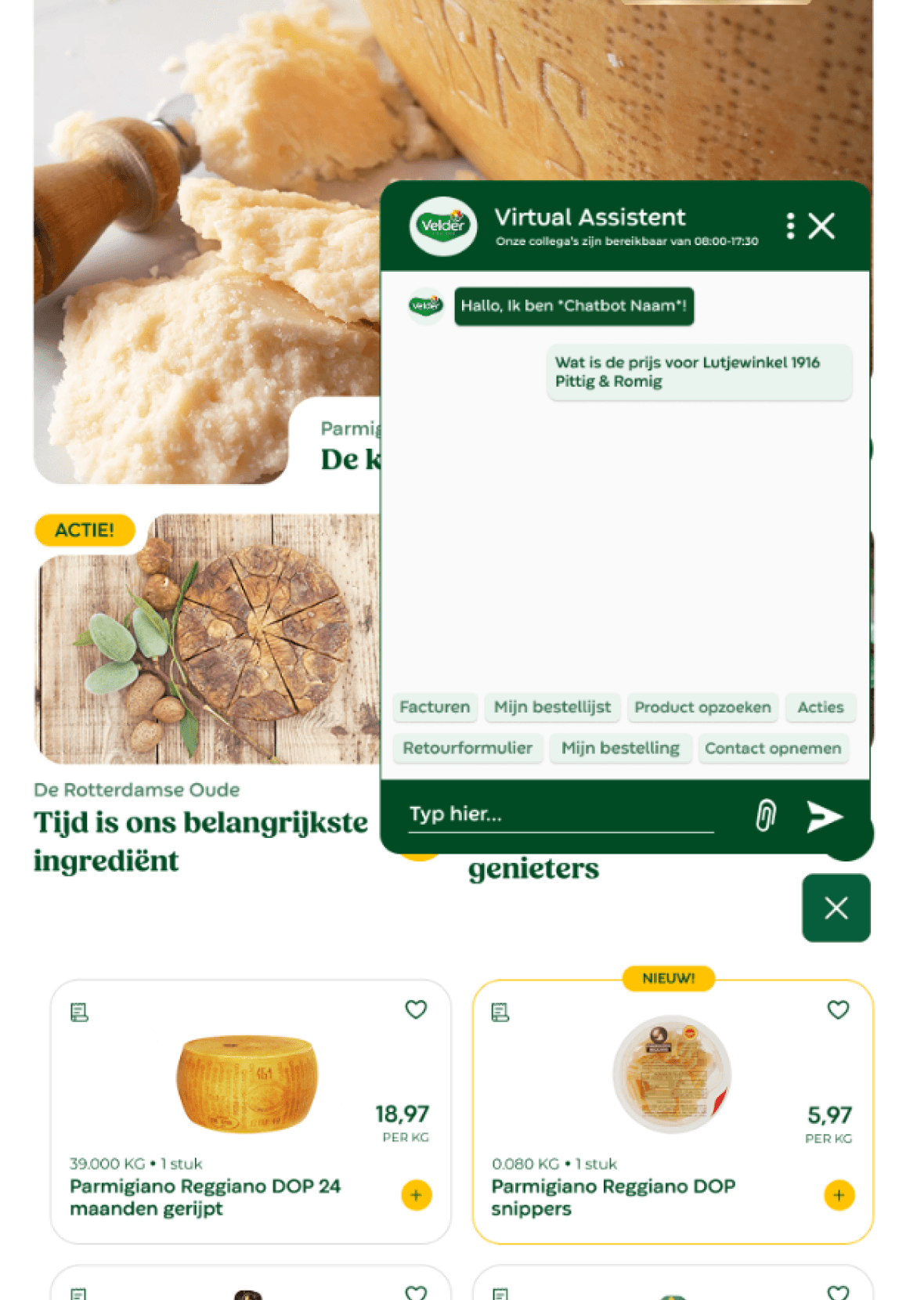
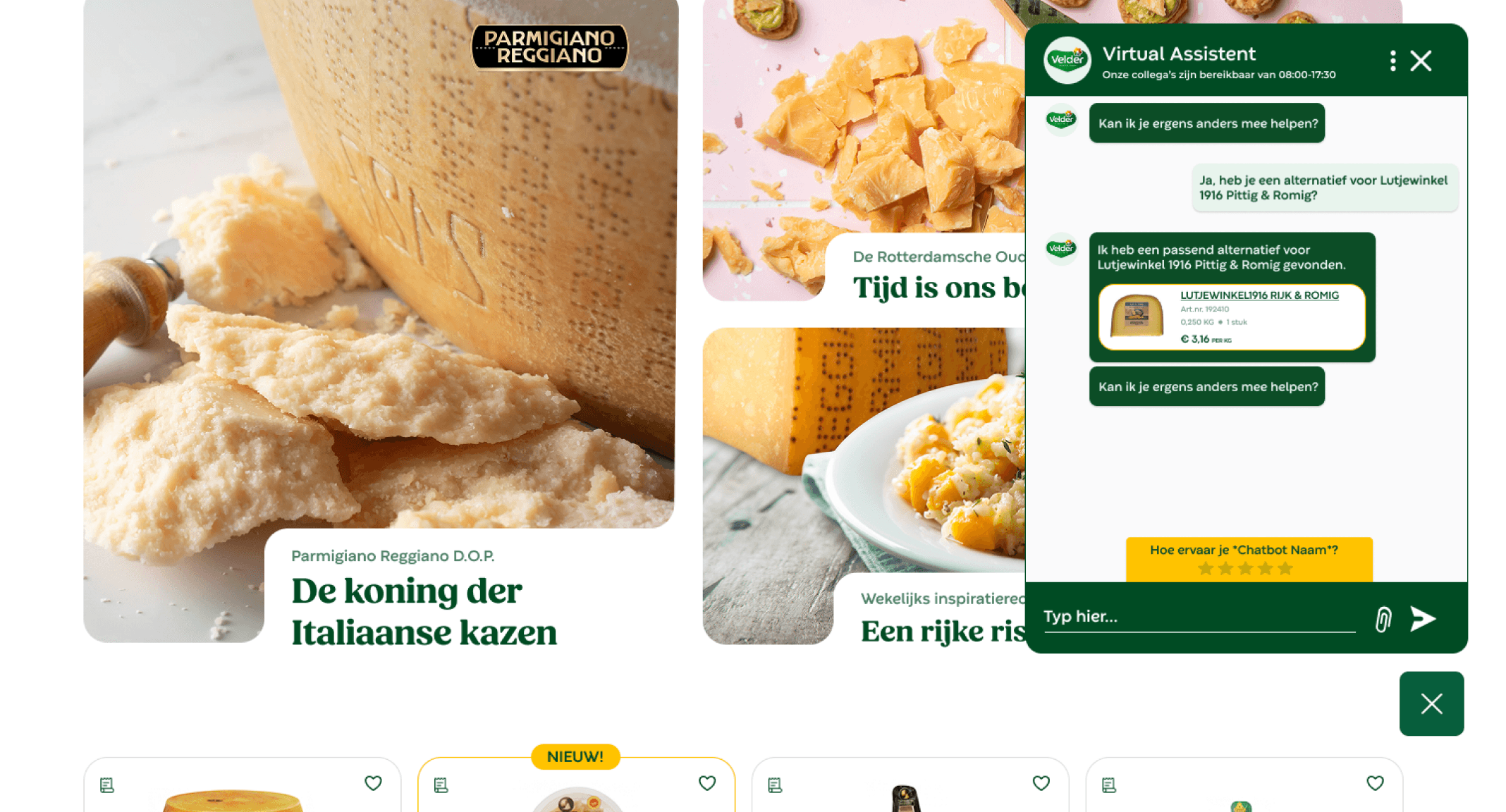
I created a fully interactive AI chatbot prototype with realistic conversation flows based on top customer questions. Usability tests with three users helped refine the UI, tone, and feedback mechanisms, ensuring fast, natural, and user-friendly interactions.
Step 8
Test Results Mid Fidelity Prototype
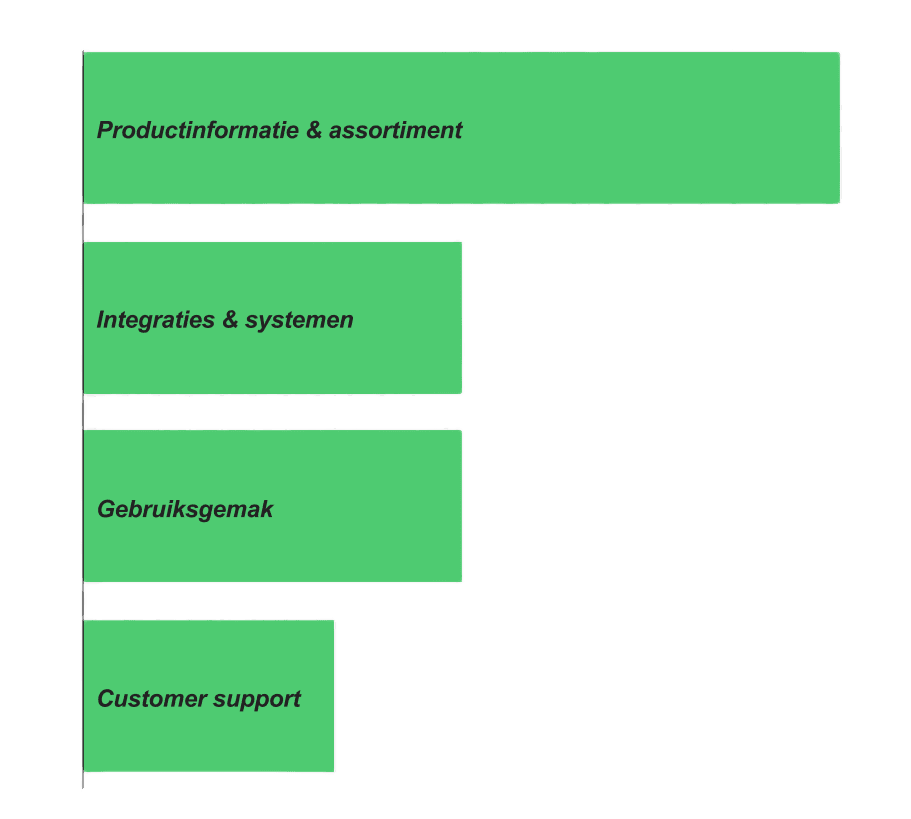
All three stakeholders were able to navigate the chatbot smoothly. They found the conversation natural and human like, appreciated the clear product info, visual support, and consistent UI across devices. One click process enabled quick interactions. Minor improvements were noted for speed, product details, and linking to additional info.
Results



Key Features
The Problem
Users often find chatbots frustrating when they fail to understand context, provide irrelevant responses, or feel robotic. The challenge was creating an AI experience that feels helpful, empathetic, and genuinely intelligent.
The Solution
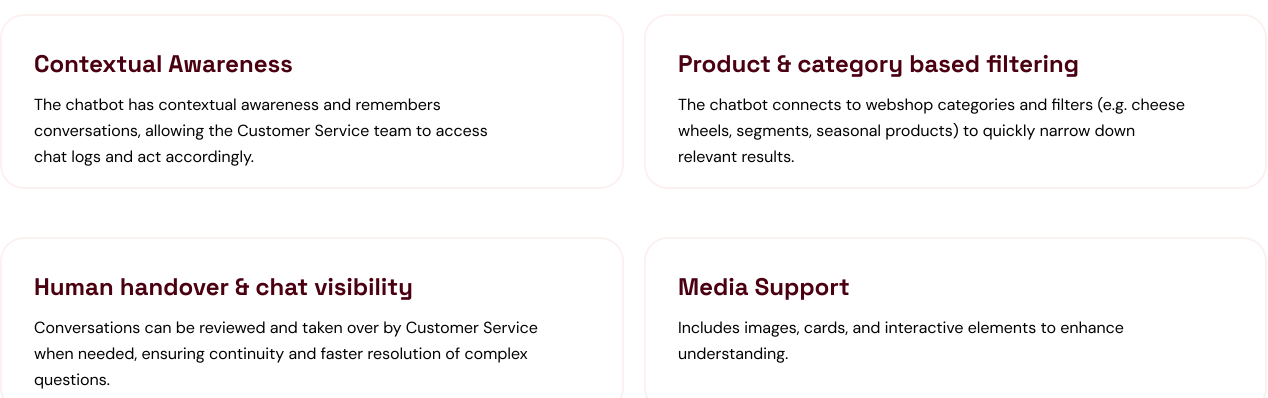
We developed a conversation design framework that prioritizes user intent recognition, contextual awareness, and graceful error handling. The chatbot adapts its personality based on conversation context while maintaining brand consistency.